Return to Blog

How to Quickly See Where Your Task Comes From

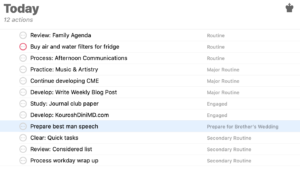
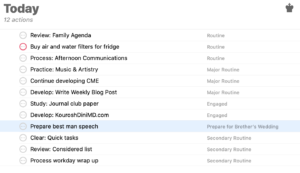
One of the very useful commands in OmniFocus is the “Show in…” command. Let’s say that you are working through your list, be that in a perspective or a tag list. While working, you realize that you’d like to see what else is in that project. OmniFocus gives a ready method of doing so:

  • Select the task:

Then either:

  • Select Menu > View > Show in Tags, or
  • Type Option-Command-r

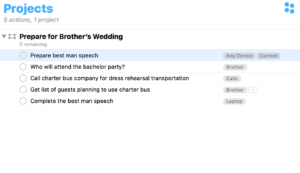
OmniFocus will switch over the the Project view with the same task highlighted:
Divider

Recent Articles

AI vs Agency

Feb 28, 2026

I’ve got a problem. I don’t know how this works. I don’t know how to write this. I don’t know the best order. ...

Bottom card separator

On Decision, Indecision

Feb 13, 2026

Check out the podcast version of today's newsletter at Rhythms of Focus (Apple Podcasts, Spotify). Kourosh “Sh...

Bottom card separator
Return to Blog

Publications

Over the years, I’ve written five main works on productivity. Sign up for the Weekly Wind Down newsletter to get free previews.

Kourosh Dini courses Kourosh Dini books
See all the publications