
DEVONthink's Inbox is nicely set aside in the side bar:
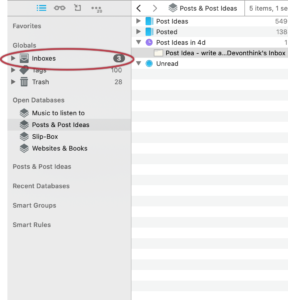
However, there is no smooth process to get there by a key command. And golly-gosh-darn-it, I like my key commands. Let's create a method to open the desired Inbox a new window. We'll use our trusty Keyboard Maestro in this example, but you can use another custom keyboard program if desired as well.1
First,
- Use the contextual menu (Command-click) to add the desired Inbox to your favorites:
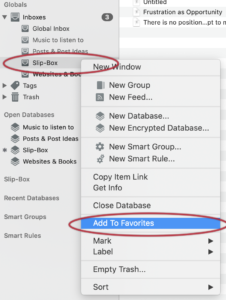
Doing so adds the Inbox to your menu - Menu > Go > Favorites > XXXX:
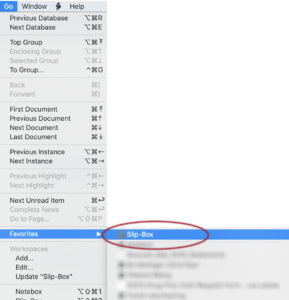
Now you can
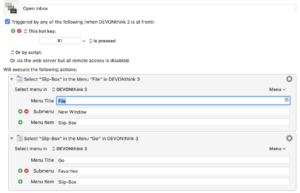
- Create a Keyboard Maestro macro to:
- Open a new window
- Open that window to the Inbox
- I've since discovered, through the DEVONthink newsletter, that there is a free key command app called Custom Shortcuts made by Houdah Software, makers of HoudahSpot, which is another program I really like. Keyboard Maestro does a lot more than create key commands and can string two together like we did above. But you may want to give Custom Shortcuts a try and see if it's your cup of tea. ↩︎